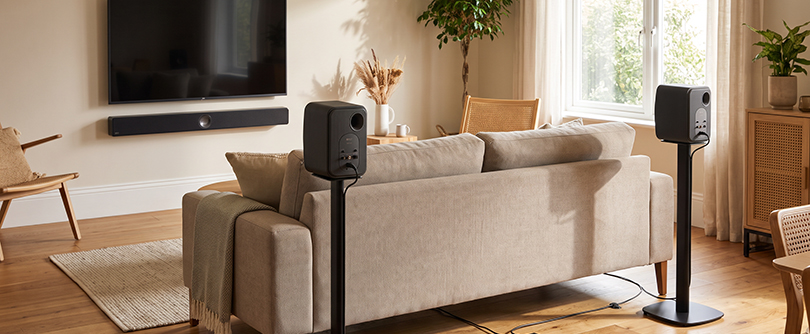
A new place for your KEF LSX II behind the sofa
Do you already have a pair of KEF LSX II speakers on Vebos stands? The new surround update lets you use them as rear speakers with the KEF XIO. The soundbar stays by the television, while your LSX II pair moves to either side and slightly behind the sofa. It gives speakers you already own a new role in your home theatre.
You will need a separately sold KW2 RX and the right software. The stand itself does not change: it supports the speaker and helps you find a practical position. If you already own the exact matching Vebos pair, there is no need to buy new stands for this purpose. Here is what connects where, and what to consider before moving everything.
What do you need for LSX II with XIO?
This setup uses one LSX II pair as two physical rear channels. Before you start, have the following ready:
- A KEF XIO soundbar and a pair of KEF LSX II speakers.
- One separately sold KW2 RX receiver for the entire rear pair.
- KEF Connect on your phone, with XIO and LSX II on the same home network.
- An optical cable and a USB power cable between KW2 and the primary LSX II. These cables are listed in the KW2 box contents.
- Mains power for both speakers and one suitable Vebos set containing two stands.
An extra subwoofer is optional. Also keep system support separate from a stand's physical fit. The original LSX is not on KEF's current XIO surround compatibility list. LSX II LT does have software support, but that does not establish a stand recommendation for it. This article focuses on LSX II and its matching stand pairs.
Update the software first
First add XIO and LSX II to KEF Connect on the same home network. Then check the available updates for every component, including the transmitter inside XIO and the KW2 receiver. Updating only the phone app is not enough.
Software check — 16 November 2026:
- XIO: firmware 1.5.160.
- LSX II: firmware 3.1.141.
- XIO transmitter and KW2: firmware 2.0.0.0 or later.
- KEF Connect: 1.32.0 or later; iOS version 1.32.2 is now available.
- For clarity only: LSX II LT supports surround with the listed 2.2.91 release. This does not confirm physical compatibility with Vebos stands.
Always use the latest available versions. KEF releases updates gradually over one to two weeks, so they will not appear on every device at once. As of this date, LS50 Wireless II, LS60 Wireless and LS LUXE are still listed for future surround support. Do not count them among the currently supported options in this example.
Wireless to the back of the room, short cables at the speaker
The connection runs from XIO wirelessly to one KW2 RX, then optically to the primary LSX II. Connect AUX/OPT on the receiver to OPT on the speaker using the optical cable. The USB cable connects the USB ports on that same speaker and KW2. It powers the receiver; it does not carry the audio.
Both LSX II speakers still need a mains socket. They can communicate wirelessly with each other; LSX II also allows an optional interspeaker cable. Wireless surround does not mean every cable disappears. Place KW2 separately from the speaker, not on top of it. Keep connections accessible and leave room for cable bends, without assuming the stand has a receiver mount.
Which Vebos stand pair suits your LSX II?
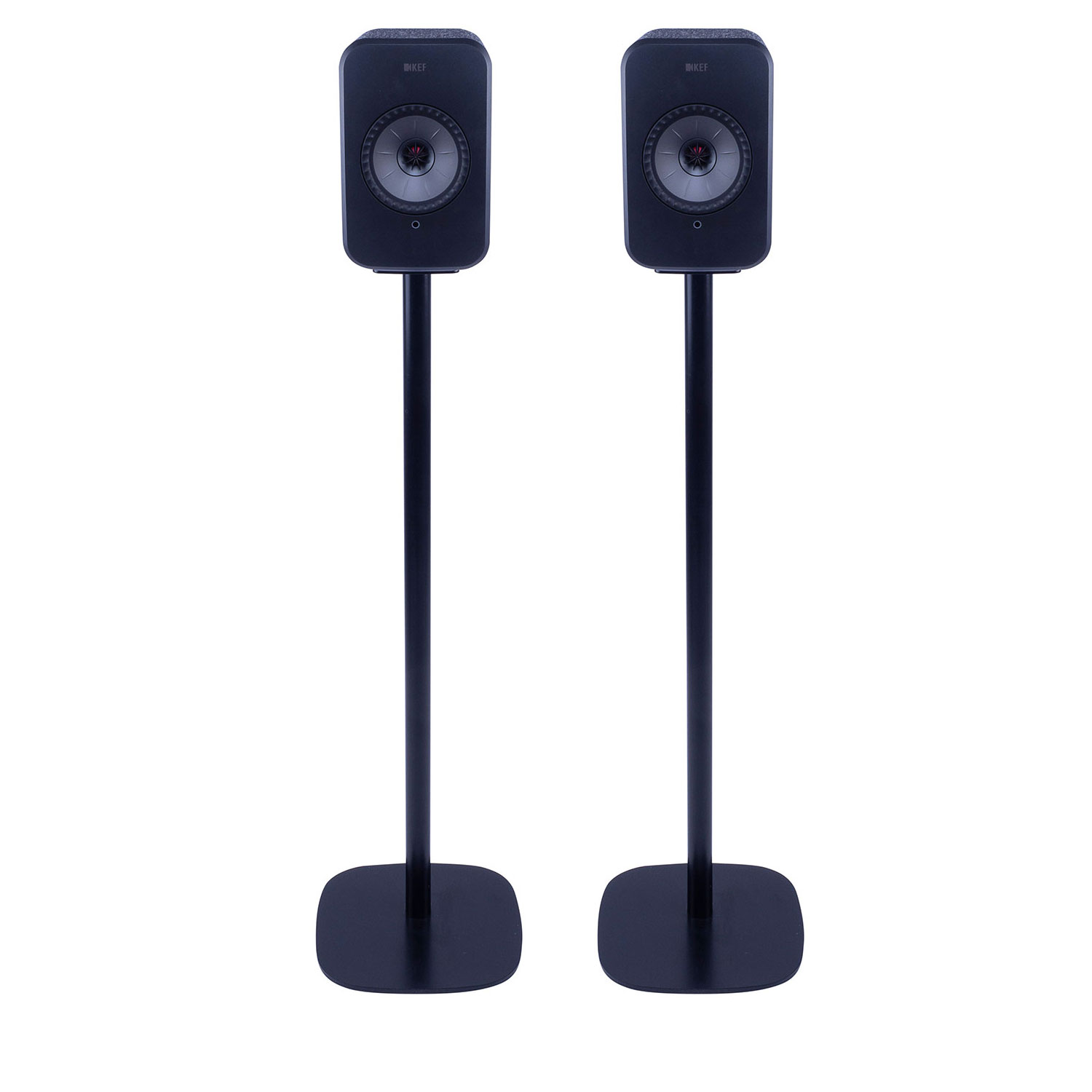
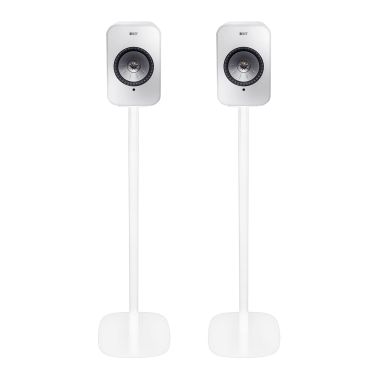
The black Vebos stand pair for KEF LSX and white Vebos stand pair for KEF LSX explicitly list LSX II in their product information. The product name may still say “KEF LSX”, while the description also includes your LSX II. If you already have a set, check that it really is the same version.
Both sets contain two steel stands with a screw fixing at the upper bracket and a cable route. The height is fixed at 80 cm to the underside of the speaker. Each base measures 24 × 24 cm. These versions are not height-adjustable and do not have a swivelling head. Fixings and instructions are included, but speakers, XIO, KW2 and cables are not.
Give both rear speakers room beside the sofa
Picture a living room with XIO beneath the television and the sofa directly opposite. Put the LSX II pair to the left and right, beside and slightly behind your seat. KEF recommends that, ideally, each rear speaker is a similar distance from the listener as XIO is.
Measure the sofa back and the available floor space first. A fixed 80 cm stand is not automatically the ideal listening height in every living room. Make sure the speakers do not disappear behind a high backrest and that both 24 × 24 cm bases have room to stand freely. Keep the walkway beside the sofa clear and allow space for plugs and cables.
If you want to change the speakers' direction, reposition the whole stand and base; the head does not swivel. For more general advice, see our article on creating surround sound with speaker stands. The model-specific guidance above remains the starting point for this KEF combination.
Connect the rear pair and check left and right
Open the settings in KEF Connect and follow KEF Wireless Hub → Surround Sound → Stereo Rear. These are the menu names in KEF's guide; the app may display them in your chosen language. Select your speaker system and follow the KW2 RX steps. Then use the test tone to assign the left and right speakers.
Next, use volume matching in the surround settings so that XIO and the rear speakers sound similarly loud from your seat. In the 5.1.2 channel layout, the surround channels are directed to the rear pair. If there is no sound, first check updates, the shared network, the optical connection and source, and channel assignment. Not every scene contains much rear-channel audio.
Your LSX II speakers now have a new place, while the stands keep doing the same job. Reuse your matching set or choose the black or white pair that suits your living room. If you later want to listen in ordinary stereo again, you can disable surround in KEF Connect. You may then need to add the pair to XIO again.
Frequently asked questions
Can I use my KEF LSX II as rear speakers with XIO?
Yes, with the supported KEF update, your LSX II pair and a separately sold KW2 RX. You configure the physical rear channels through KEF Connect. The Vebos stands provide positioning, not the surround connection.
How many KW2 RX receivers do I need for two LSX II speakers?
One receiver for this entire rear pair, connected to the primary speaker. You do not need one KW2 per speaker. Any wireless subwoofers use separate connections and are outside this example.
Is this setup completely cable-free?
No. XIO sends wirelessly to KW2, but at the primary LSX II you use optical for audio and USB to power KW2. Both speakers keep their power cables. The LSX II speakers can communicate wirelessly with each other.
Which software should I check?
Check XIO 1.5.160, LSX II 3.1.141, the XIO transmitter and KW2 on 2.0.0.0 or later, and KEF Connect on 1.32.0 or later. This is the position on 16 November 2026; iOS now has 1.32.2. Always install the latest available versions.
Do I need two Vebos sets for the rear pair?
No. One of the stand pairs mentioned contains two stands, instructions and fixings. Speakers, XIO, KW2 and cables are not included in that stand set.
Are these Vebos stands height-adjustable?
No. The black and white versions in this article have a fixed height of 80 cm to the underside of the speaker and a 24 × 24 cm base. Check that these dimensions suit your sofa and available space.
Does this also work with the original LSX or LSX II LT?
The original LSX is not on the current XIO surround list and is not the same model as LSX II. LSX II LT has software support, but this article does not recommend a stand or confirm physical fit for it. Software support does not prove Vebos compatibility.
Do I also need a separate subwoofer?
No. KEF allows surround speakers and subwoofers to be added independently. You can therefore use this LSX II rear pair without an extra subwoofer.